🏷️ Labels, leveled up
Web
Labels in Polser do a lot of jobs at once. Your team uses them to organise chats day to day, they sync with your CRM, and they power your broadcast audiences. As you've relied on them more, you've asked us for a few things. In this release, we take labels to the next level, both in how they look and how you manage them.
Highlighted Labels
Not all labels are created equal. Some of them tell your team exactly what matters about a contact: a VIP customer, an enrolled student, a lead that needs attention now.
Admins can now mark up to 5 labels as highlighted. Just open the ⋯ menu next to any label in Settings → Labels and select "Mark as highlighted".
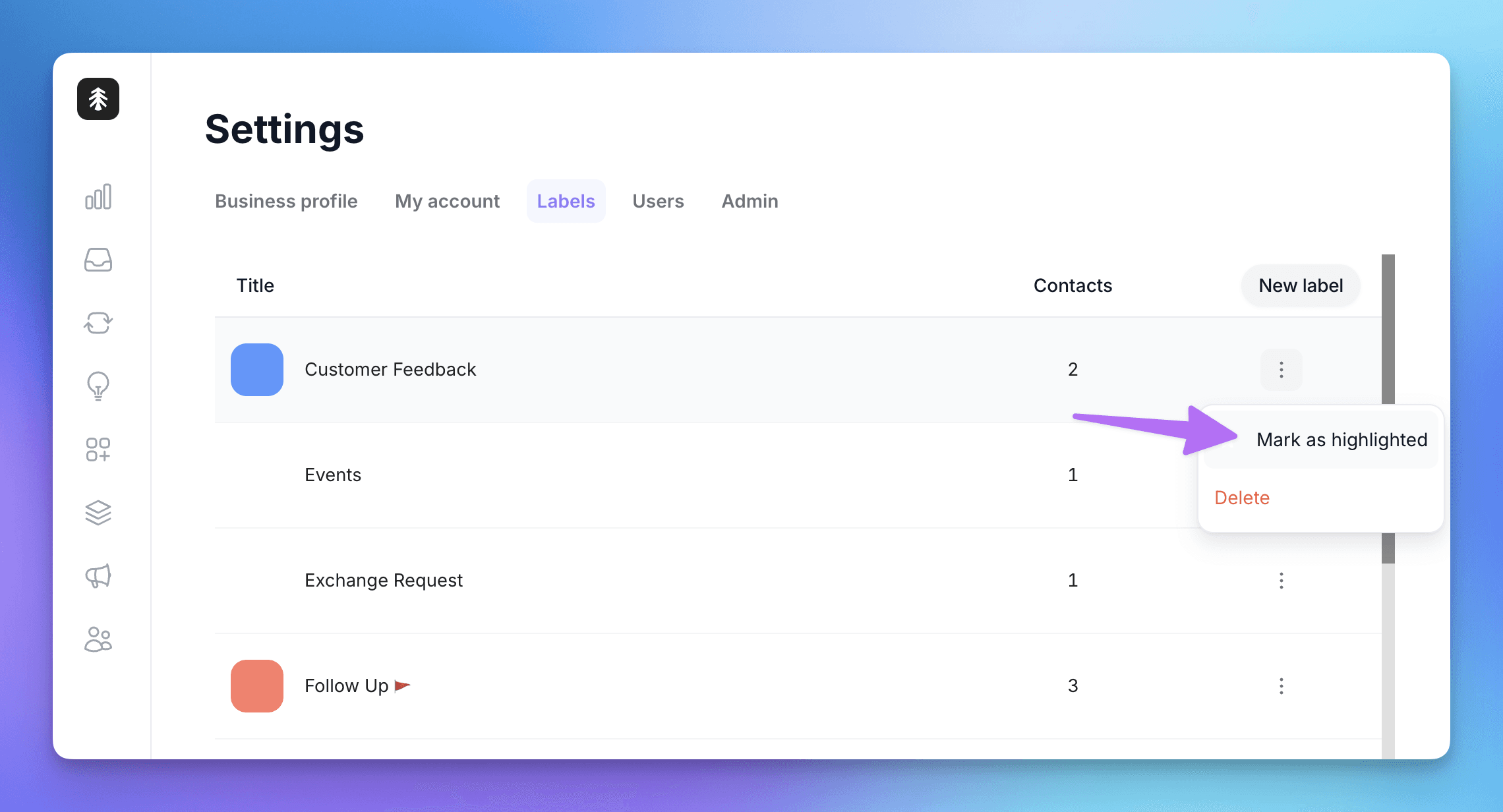
Highlighted labels then show up where your team actually works, on web and mobile:
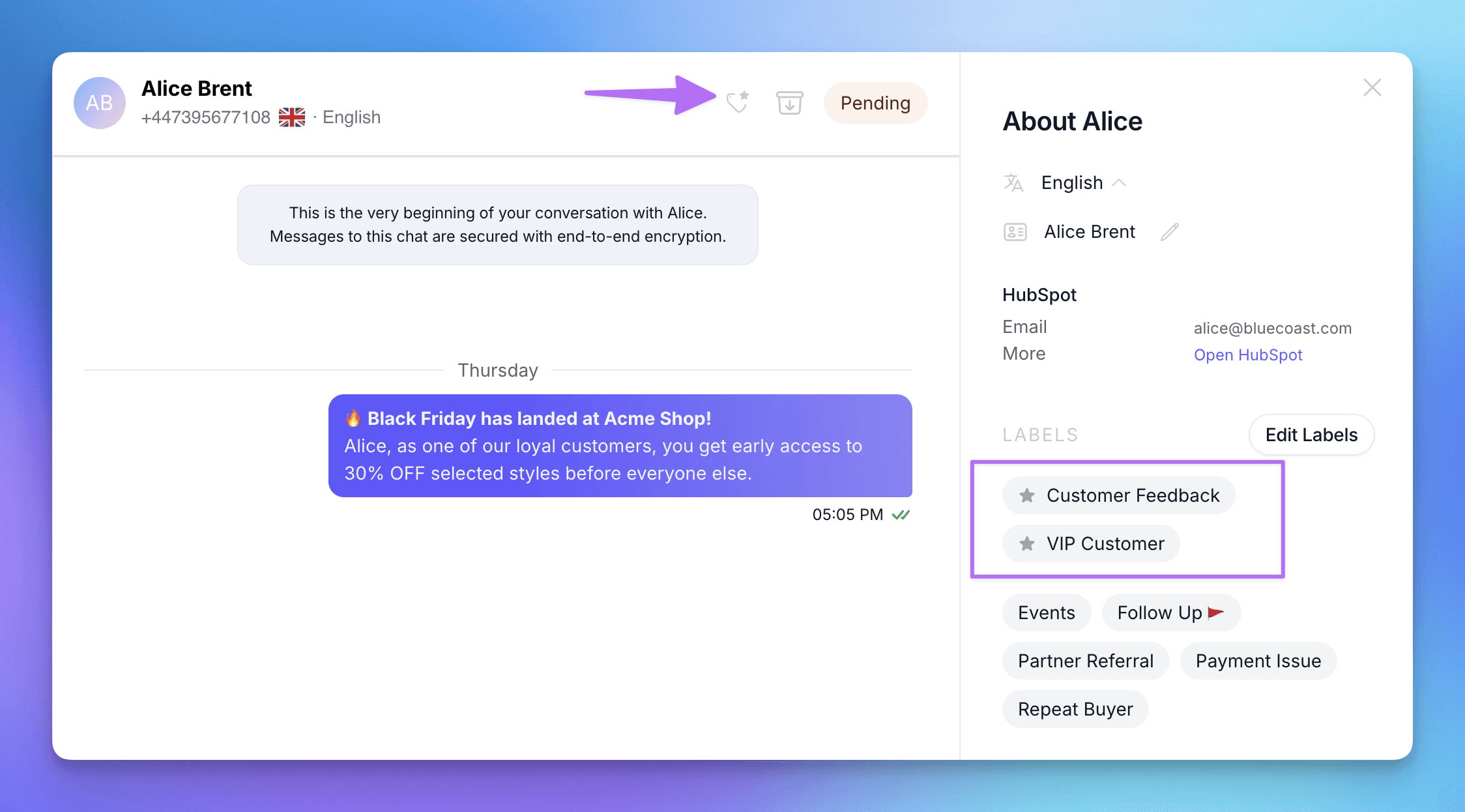
In the contact profile: highlighted labels are listed first, marked with a star, above all the others.
In the chat header: a small tag icon appears whenever the contact carries a highlighted label, so your agents know at a glance. Click it to open the contact's profile.
More colours
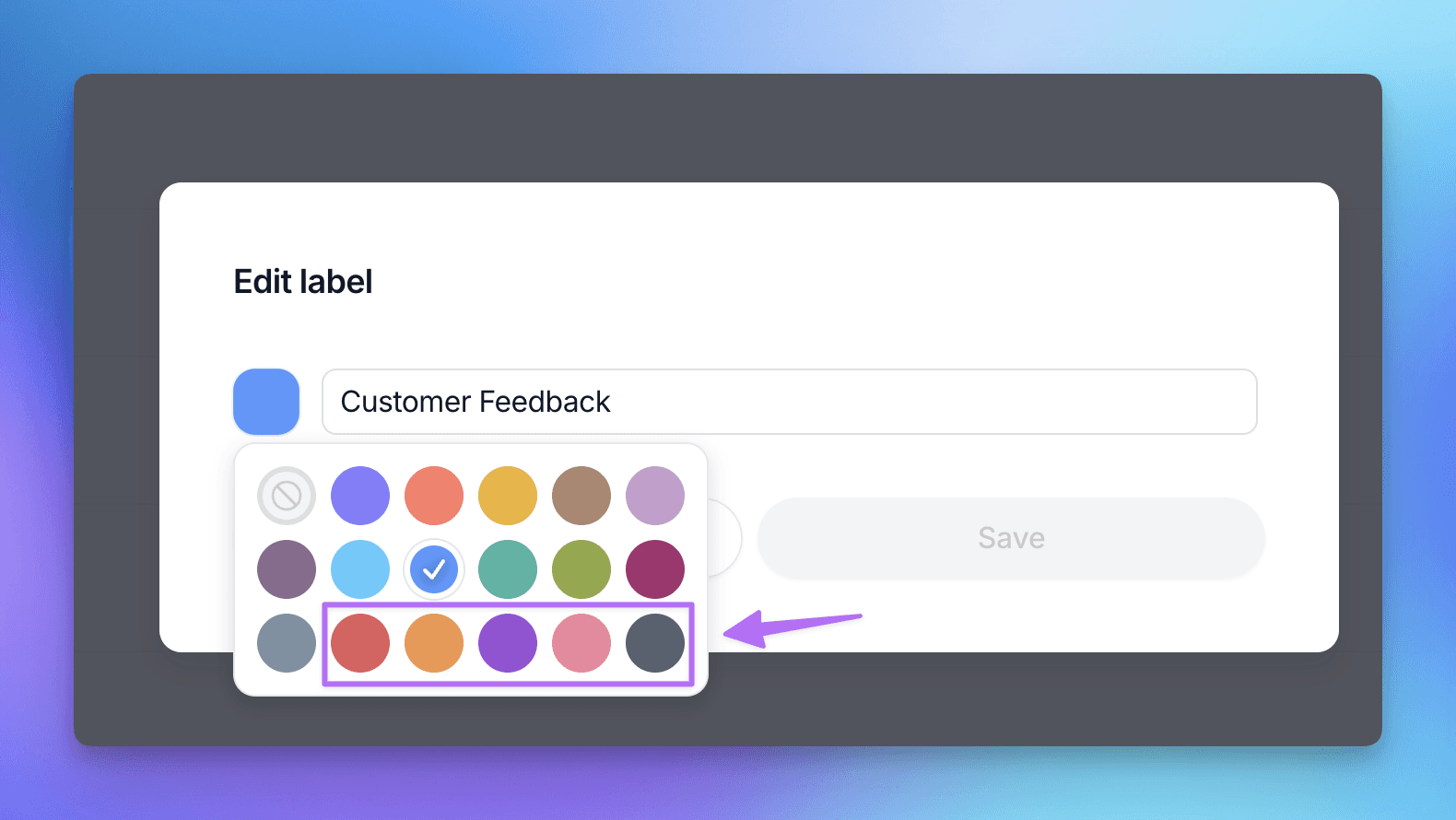
The label colour picker now has 18 colours instead of 12. We've added red, orange, violet, rose and charcoal, so every label can have a colour of its own.
Label management is now Admin-only
Since labels drive your CRM sync and your broadcast audiences, changing them should be a deliberate decision. From now on, only Admins can access Settings → Labels to create, edit, delete or highlight labels.
Team Members can still add labels to conversations, and create new ones on the fly from the chat, just like before.
Other improvements
The Public API now supports WhatsApp usernames, and we've updated the webhook documentation in the Help Center to match.
Broadcast metrics now load correctly for campaigns with very large recipient lists.
🦺 Bug fixes
Fixed an issue where messages from contacts with "@" in their WhatsApp name were sent to integrations as outgoing messages.
New team members no longer briefly see all WhatsApp numbers before being assigned one, when "assigned numbers only" is on.
Fixed an issue where buttons weren't displayed in some messages.
👷 Coming up next
We're planning some improvements to our API, working on our Help Center documentation, and polishing a few UX details here and there.
We are WhatsApp specialists!

Polser
Why don't we continue this conversation there?