Compliance
Policies
Last updated: March 2026
Web
🏷️ Labels, leveled up
Labels in Polser do a lot of jobs at once. Your team uses them to organise chats day to day, they sync with your CRM, and they power your broadcast audiences. As you've relied on them more, you've asked us for a few things. In this release, we take labels to the next level, both in how they look and how you manage them.
Highlighted Labels
Not all labels are created equal. Some of them tell your team exactly what matters about a contact: a VIP customer, an enrolled student, a lead that needs attention now.
Admins can now mark up to 5 labels as highlighted. Just open the ⋯ menu next to any label in Settings → Labels and select "Mark as highlighted".
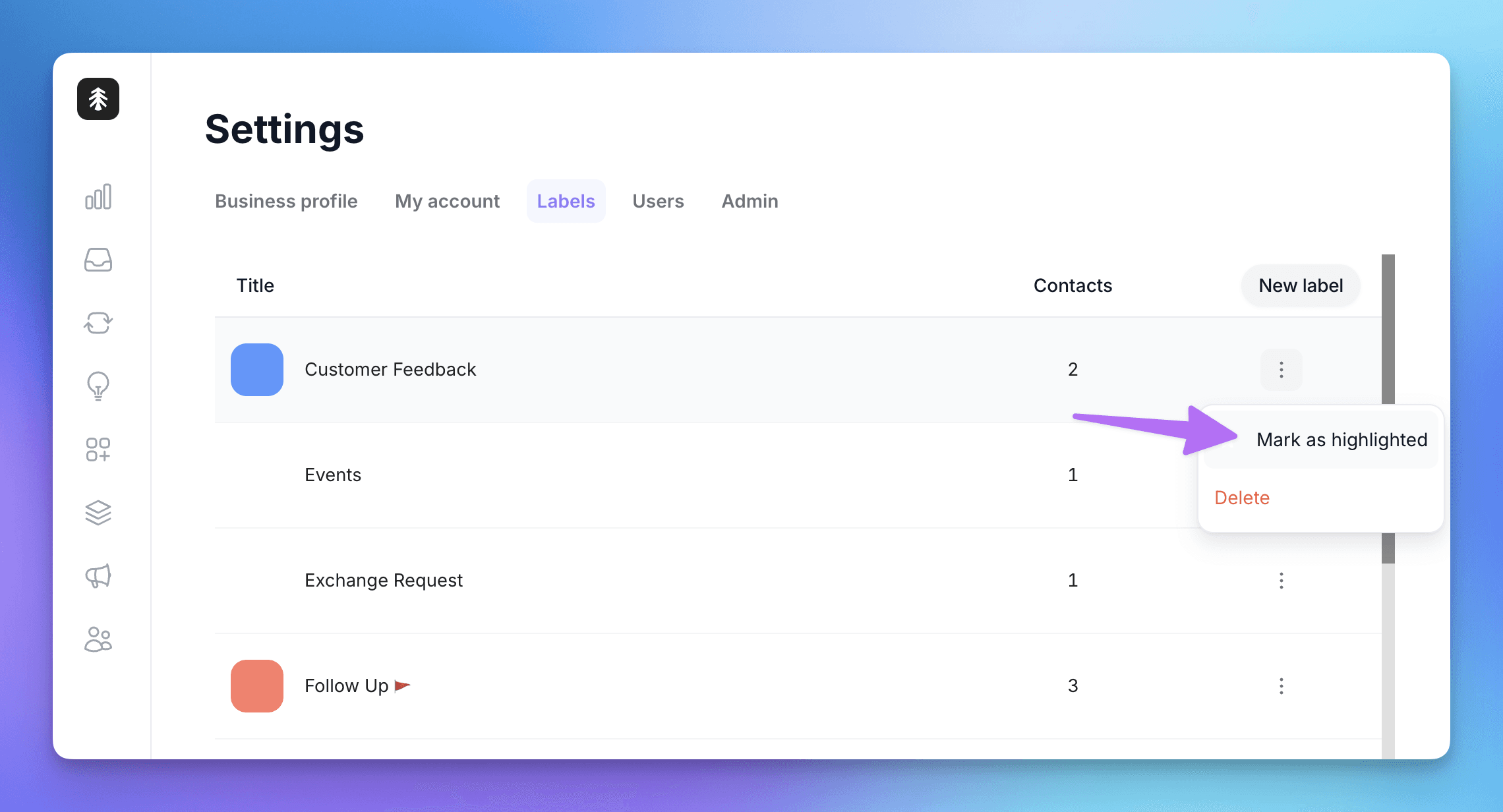
Highlighted labels then show up where your team actually works, on web and mobile:
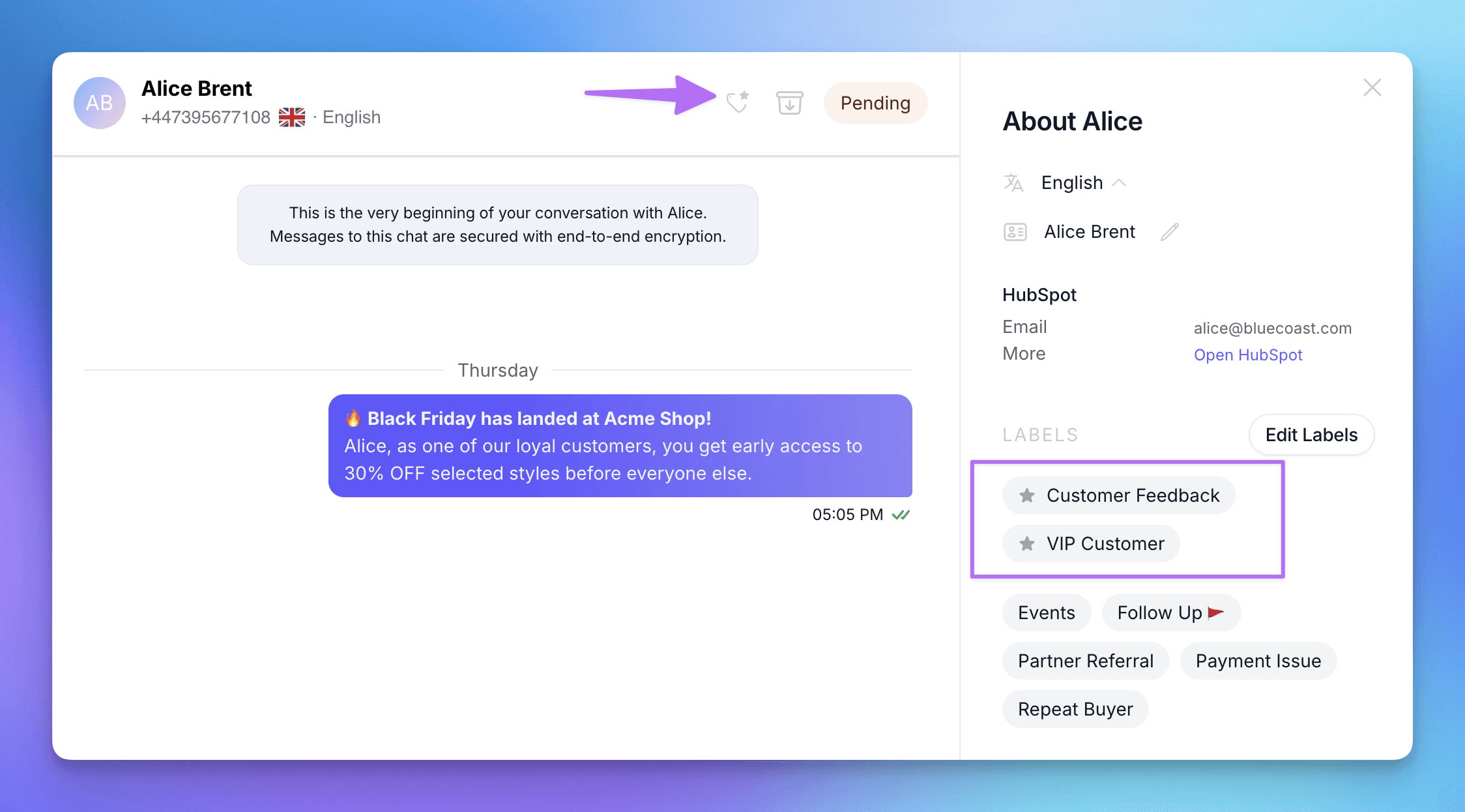
In the contact profile: highlighted labels are listed first, marked with a star, above all the others.
In the chat header: a small tag icon appears whenever the contact carries a highlighted label, so your agents know at a glance. Click it to open the contact's profile.
More colours
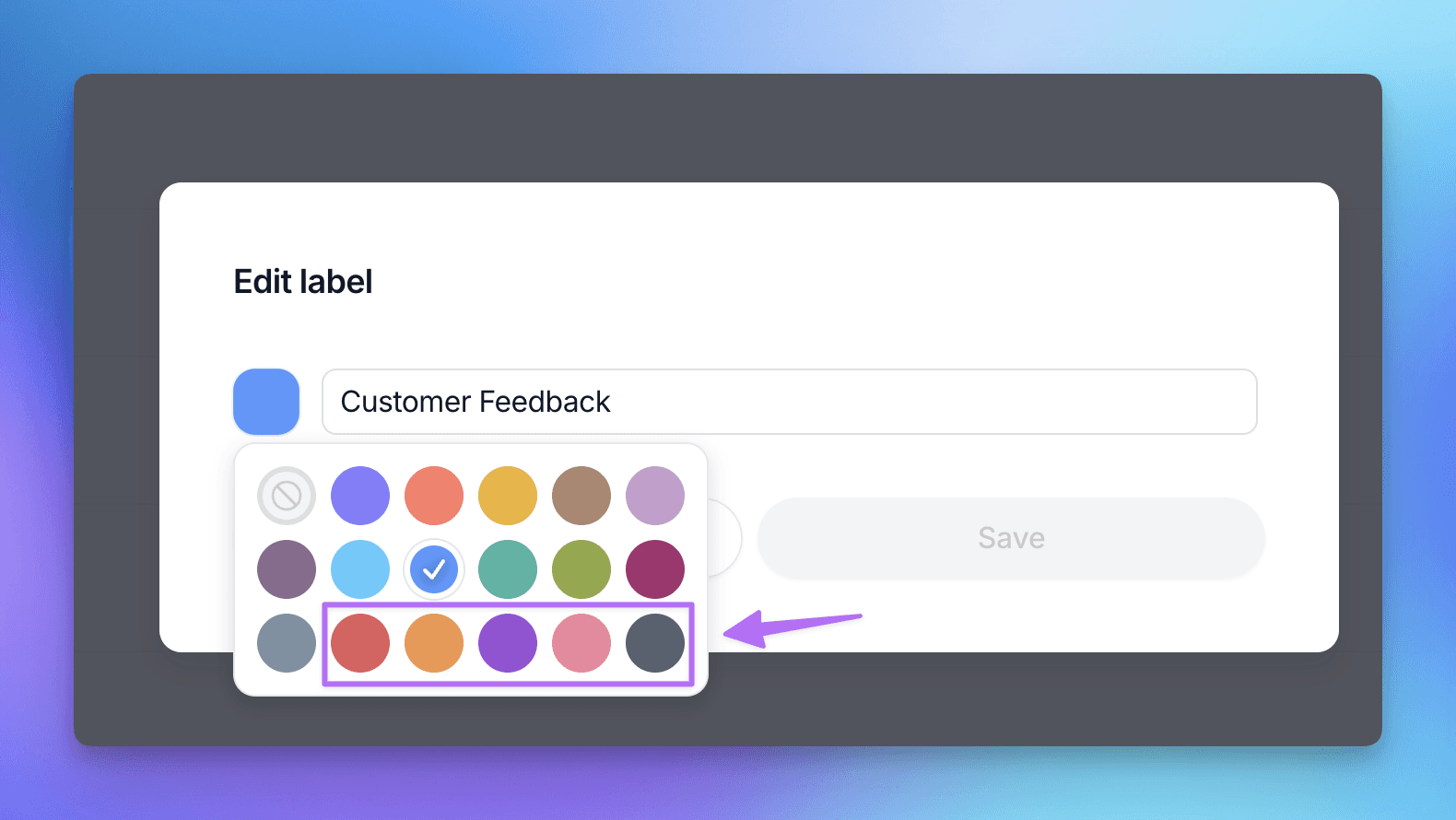
The label colour picker now has 18 colours instead of 12. We've added red, orange, violet, rose and charcoal, so every label can have a colour of its own.
Label management is now Admin-only
Since labels drive your CRM sync and your broadcast audiences, changing them should be a deliberate decision. From now on, only Admins can access Settings → Labels to create, edit, delete or highlight labels.
Team Members can still add labels to conversations, and create new ones on the fly from the chat, just like before.
Other improvements
The Public API now supports WhatsApp usernames, and we've updated the webhook documentation in the Help Center to match.
Broadcast metrics now load correctly for campaigns with very large recipient lists.
🦺 Bug fixes
Fixed an issue where messages from contacts with "@" in their WhatsApp name were sent to integrations as outgoing messages.
New team members no longer briefly see all WhatsApp numbers before being assigned one, when "assigned numbers only" is on.
Fixed an issue where buttons weren't displayed in some messages.
👷 Coming up next
We're planning some improvements to our API, working on our Help Center documentation, and polishing a few UX details here and there.
Web & Mobile
👀 Usernames, now in view
A while back we got Polser ready for WhatsApp usernames. This release is the next chapter: as Meta rolls usernames out, they now show up where you actually work. The inbox, contact profiles, your contacts list, exports, and your HubSpot sync all keep every contact recognizable, with or without a phone number.
Usernames, visible across Polser
Meta is rolling out WhatsApp usernames as an alternative to phone numbers, which means some contacts will start reaching you with a username and no phone number at all. Polser is now ready for that everywhere it counts.
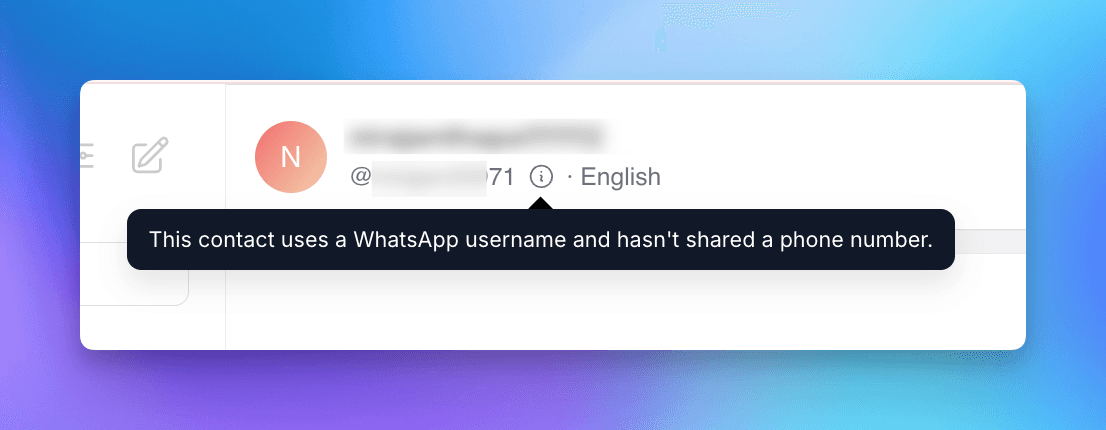
In the conversation, a contact with no phone number now shows their @username in the header. If we have neither a number nor a username, you see a clear "No phone number" label with a short explanation, never an empty space.
In the contact profile, phoneless contacts now display their BSUID (the system ID Meta assigns them), clearly marked as a masked identifier so nobody mistakes it for a real phone number.
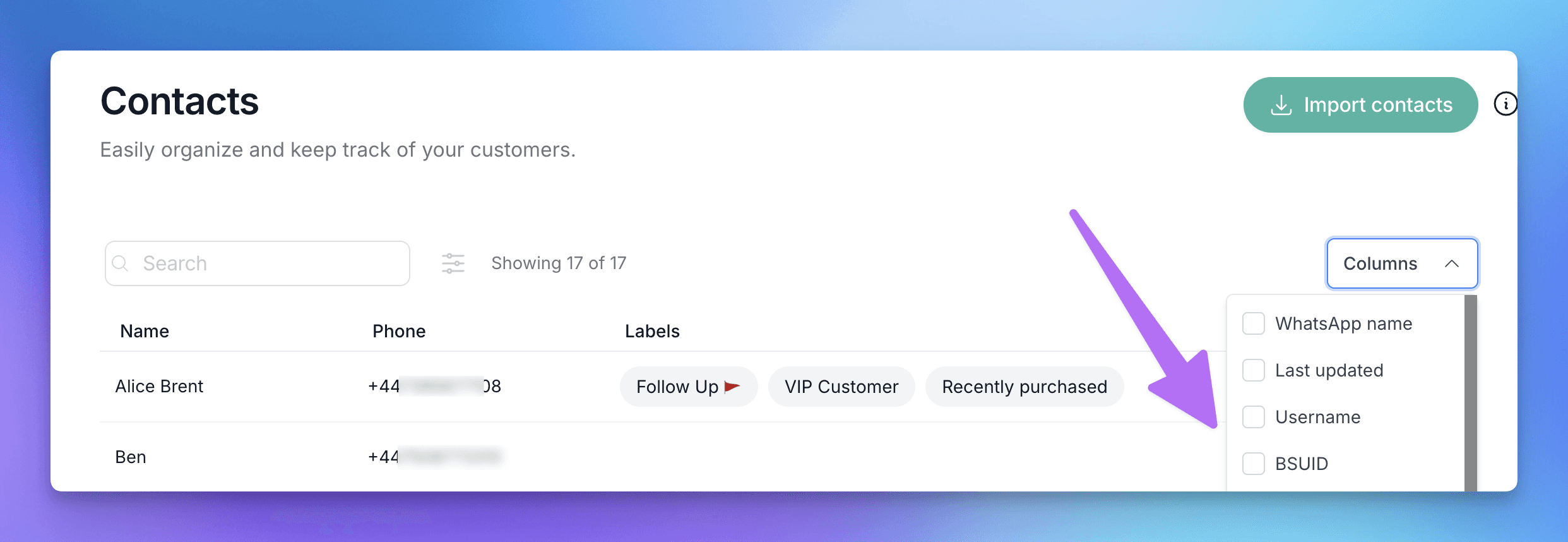
And across your contacts, you can now add Username and BSUID as columns in your list, search by either one to find someone instantly, and carry the BSUID through to your exports whenever it is available.
Usernames in your HubSpot sync
If you use our HubSpot integration, you can now map a contact's WhatsApp username and BSUID to HubSpot properties, right next to where you already map the phone number. For any contact we match by phone, their username and BSUID get written to HubSpot too. It is a small window with a real payoff: while a contact still shares both their number and their username, this links the two identities on their HubSpot record, so if they ever hide their number later, you already have the connection on file.
Send richer templates through the API
Templates that open with an image or video header can now be sent through the Polser API and through the HubSpot "Send a WhatsApp template message" action.
🦺 Bug fixes
Fixed the admin dashboard's Message Composition block failing to load on some accounts.
The Templates screen no longer shows expired conversation templates. Only your broadcast templates appear there now. As usual.
WhatsApp Flows now run correctly for contacts who have a username but no phone number.
👷 Coming up next
We plan to continuously support username-related features as Meta progressively rolls out updates.
Web
📡 Create Broadcast Templates
Creating a WhatsApp template used to mean a trip to Meta Business Manager, and if you didn’t have access, it meant asking someone who did. This release removes that friction right where it matters most: inside your broadcast workflow. Plus a small visual upgrade that makes your contact list easier to read at a glance.
Broadcast templates, created inside Polser
Creating a WhatsApp template requires Meta Business Manager access, and in most teams only a handful of people have it. That means agents who need a new template have to ask someone else to make it for them, adding friction right where you want the least of it.
Now you can create broadcast templates directly inside Polser, no Meta Business Manager access needed. Head to the new Templates section, write your content, add your variables, and submit for Meta approval. All without leaving the platform and without waiting on anyone.
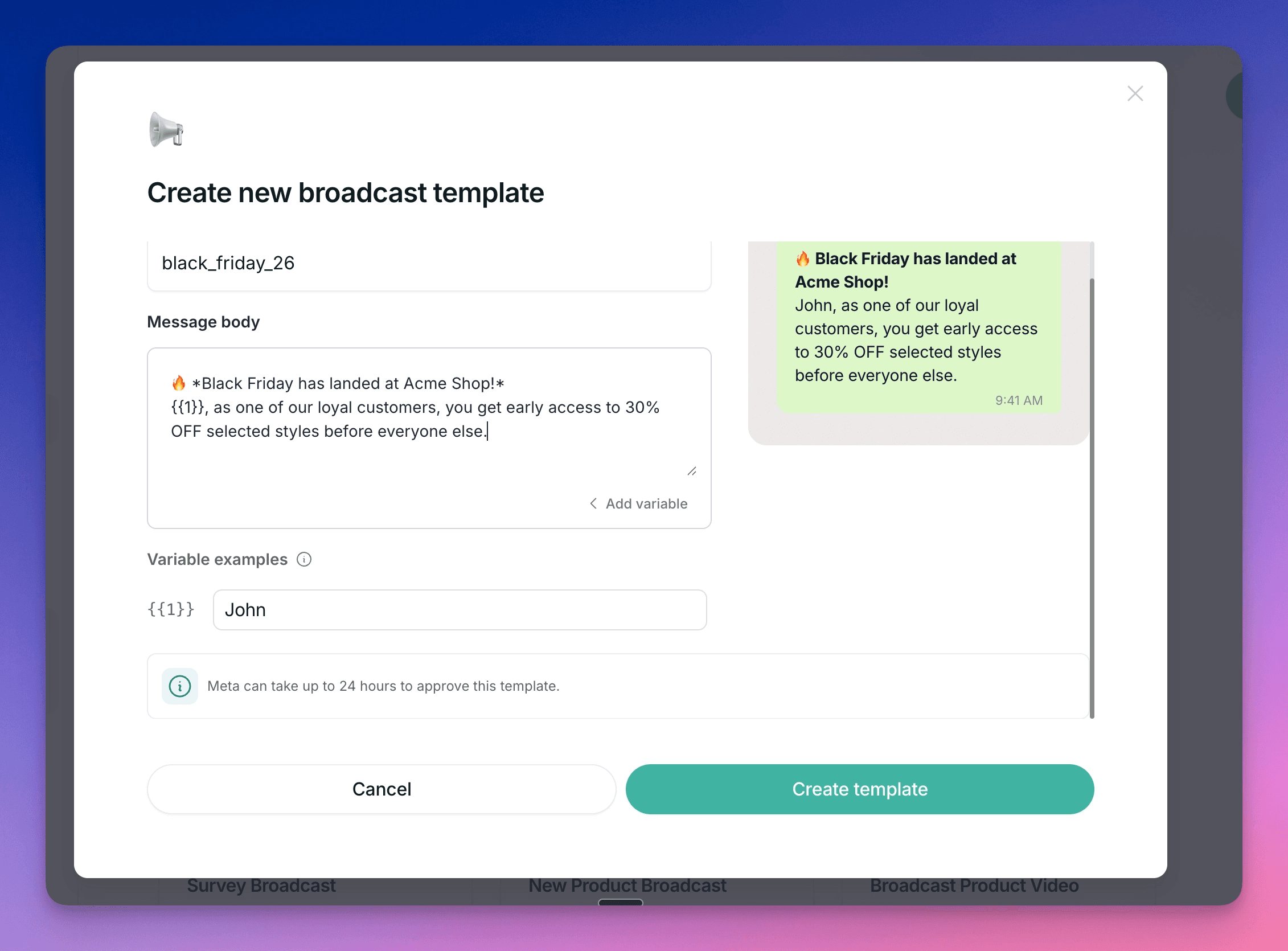
This is the first step toward more comprehensive template management inside Polser. More template types are coming.
Country flags on phone numbers
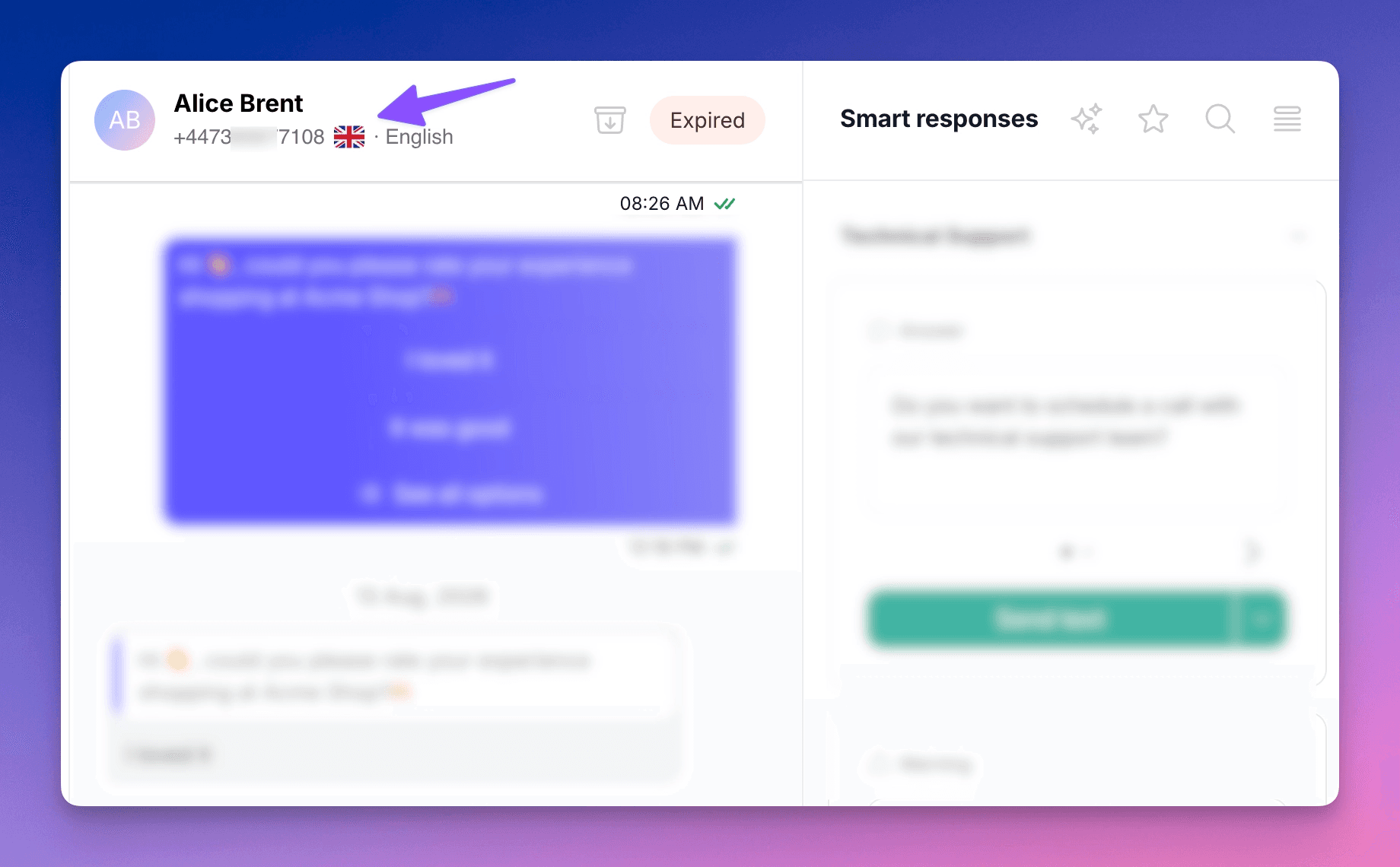
Phone numbers across the platform now show the country flag of the contact’s number. A small detail, but when you’re working across a multilingual inbox it makes a real difference: instant country recognition, no decoding a country code.
🦺 Bug fixes
Labels and tags were getting clipped in the inbox label selector and when selecting stickers. Both now display in full.
👷 Coming up next
More good things are in the works, but we can’t share them yet. Stay tuned.
We are WhatsApp specialists!

Polser
Why don't we continue this conversation there?