🪪 A name from the start
Web & Mobile
This release makes your CRM experience meaningfully smarter. Start a conversation from HubSpot, or any CRM using Polser’s focused view, and your contact’s name is already there, ready to go. Plus a set of improvements that keep your broadcasts cleaner, your templates safer, and your iOS team fully unblocked.
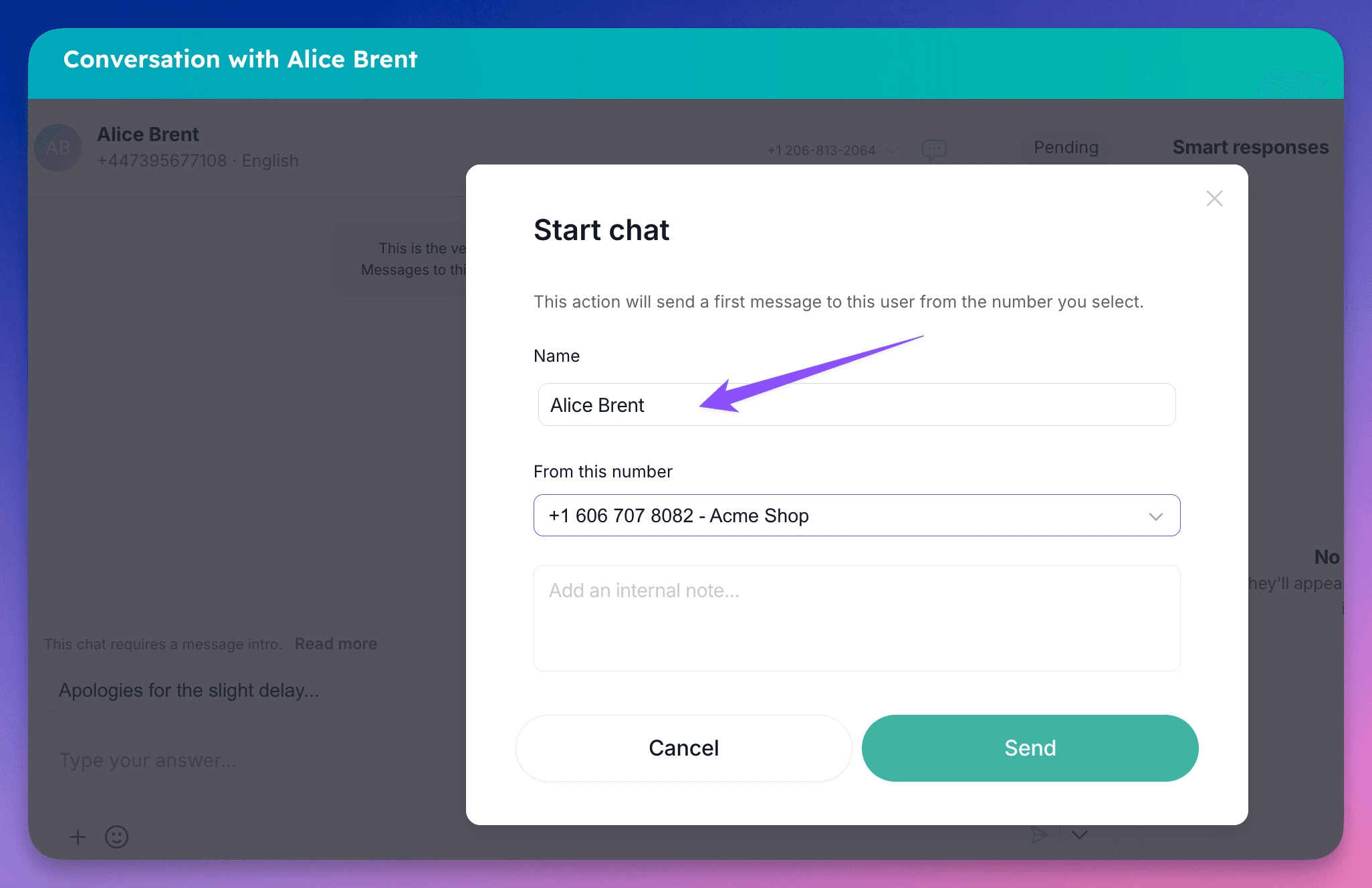
Contact names in the CRM chat view
When you work out of a CRM, you already know who you’re reaching out to. Now Polser knows too. Open a contact in HubSpot, or any CRM with Polser’s focused conversation view, and start a new WhatsApp chat. If the contact exists in Polser, their name is pulled in automatically and used as the contact name in your outgoing message. No phone number standing in for a person, no manual lookup, no correcting after the fact.
It’s a small change with real impact: your agents start every conversation with the context they need, and your contacts get a message that feels like it came from someone who actually knows them.
Template management is now admin-only
Your templates are your team’s voice, and now they’re protected. The Templates page is restricted to admin users, keeping your message library consistent, on-brand, and free from unintended changes.
🙋🏼♂️ With this update, Polser continues to refine the distinction between admin and team member roles. If you haven’t configured your team accordingly yet, now is a great moment to do it.
🔧 Other improvements
When sending a broadcast with a template that has no text variables, you can now see the full message text before you confirm. What you preview is exactly what your contacts receive, no more sending blind.
🦺 Bug fixes
Fixed an issue on iOS that prevented users from sending media and files. Attachments now work reliably across all Apple devices.
👷 Coming up next
We’re getting our first autonomous WhatsApp agent ready. Stay tuned.
We are WhatsApp specialists!

Polser
Why don't we continue this conversation there?